
What you will learn
- What a virtual machine and a hypervisor are; Type 1 vs Type 2
- VM requirements: processor, memory, storage, virtual switch, security
- Sandboxes, test/development, legacy software, cross-platform; snapshots are not backups
- VDI and containers vs virtual machines
- IaaS, PaaS and SaaS as who manages what
- Public, private, community and hybrid clouds
- Shared vs dedicated, multitenancy, metering (ingress/egress), elasticity, availability, file sync
PRACTICE TESTS
Ready to drill it?
Practice tests for CompTIA A+ Core 1 and Core 2, every answer explained and checked against published sources. $19.95 for 30 days, plus sales tax where it applies; one payment, nothing renews.
See the 30-day passCheat sheet
Everything in this lesson on one page. Free to save, print and share.
Download the cheat sheet (PNG)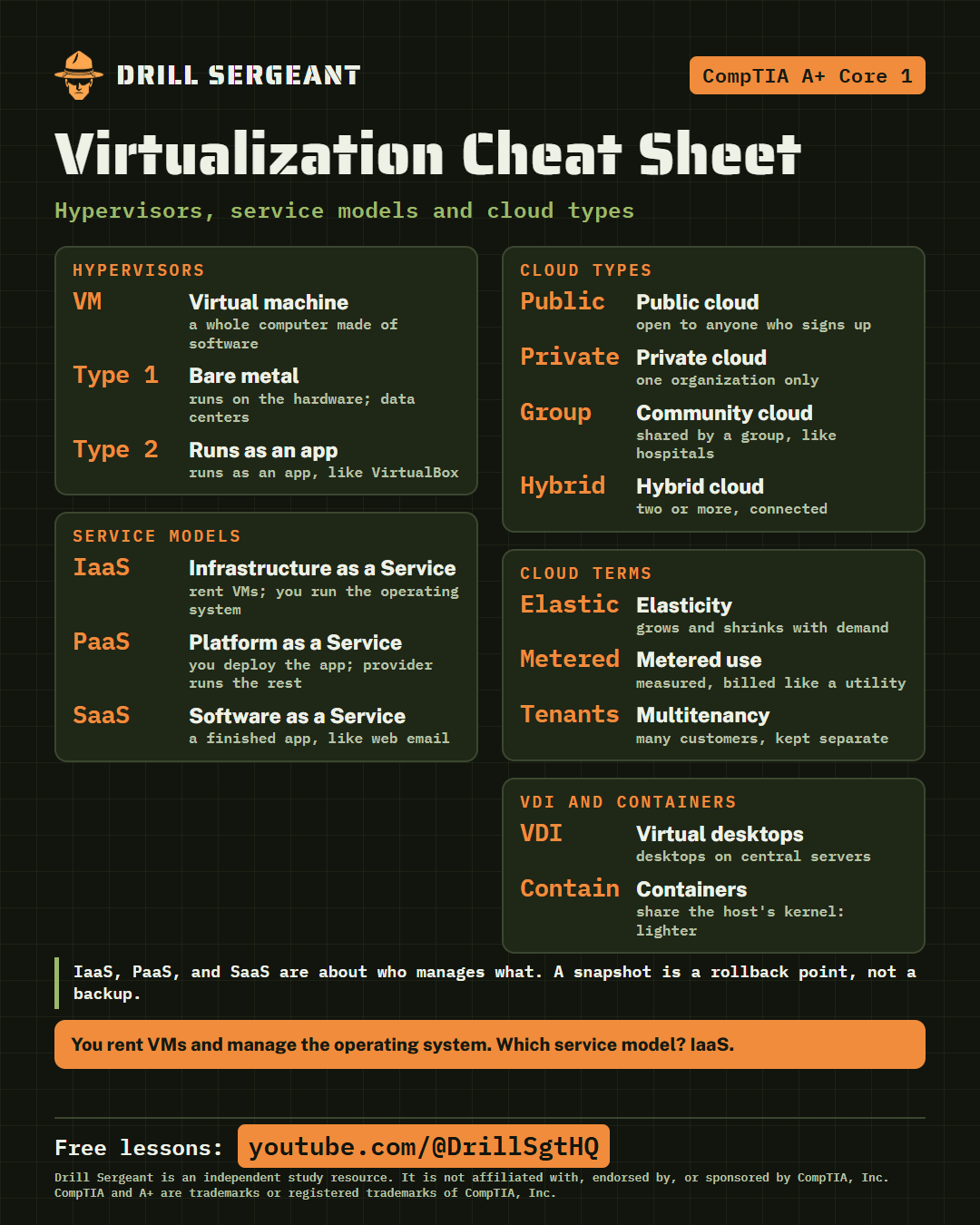
Cheat sheet as text
Virtualization Cheat Sheet
Hypervisors, service models and cloud types
Hypervisors
| Key | Meaning | Note |
|---|---|---|
| VM | Virtual machine | a whole computer made of software |
| Type 1 | Bare metal | runs on the hardware; data centers |
| Type 2 | Runs as an app | runs as an app, like VirtualBox |
Service models
| Key | Meaning | Note |
|---|---|---|
| IaaS | Infrastructure as a Service | rent VMs; you run the operating system |
| PaaS | Platform as a Service | you deploy the app; provider runs the rest |
| SaaS | Software as a Service | a finished app, like web email |
Cloud types
- Public — Public cloud: open to anyone who signs up
- Private — Private cloud: one organization only
- Group — Community cloud: shared by a group, like hospitals
- Hybrid — Hybrid cloud: two or more, connected
Cloud terms
- Elastic — Elasticity: grows and shrinks with demand
- Metered — Metered use: measured, billed like a utility
- Tenants — Multitenancy: many customers, kept separate
VDI and containers
- VDI — Virtual desktops: desktops on central servers
- Contain — Containers: share the host's kernel: lighter
IaaS, PaaS, and SaaS are about who manages what. A snapshot is a rollback point, not a backup.
You rent VMs and manage the operating system. Which service model? IaaS.
Chapters
Exam objectives covered
- Core 1 (220-1201) objective 4.1, Virtualization and Cloud Computing
- Core 1 (220-1201) objective 4.2, Virtualization and Cloud Computing
Transcript
Read the full lesson narration
Virtual machines and hypervisors
One computer can pretend to be several. And someone else's computer can do your work. That's virtualization, and the cloud.
A virtual machine, or VM, is a whole computer made of software. A program called a hypervisor shares one physical computer between several VMs. Each VM gets its own operating system, and they're kept separate from each other. There are two types. A Type 1 hypervisor runs on the hardware itself. That's called bare metal, and it's the usual choice in data centers. Hyper-V, built into Windows, is Type 1 too. A Type 2 hypervisor runs as an app on top of your normal operating system, like VirtualBox on a laptop.
What a VM needs
Every VM borrows what it needs from the host: processor time, memory, and storage for its virtual disk. If it needs a network, a virtual switch connects it to other VMs, the host, or the outside network. And for security, treat a VM like a real computer. It still needs updates and protection.
Sandbox, testing, legacy and snapshots
Why use VMs? A sandbox, to open a suspicious file away from your real system. It's safer, not risk free, so watch shared folders and networking. Testing and development, to try an update before it reaches real users. Legacy software, to keep an old program running on the old system it needs. And cross platform work, like running Windows on a Mac. The exam groups legacy software and cross platform work under application virtualization. Before a risky change, take a snapshot. It's a quick way to roll back, but it's not a backup.
VDI and containers
Two more terms. VDI, Virtual Desktop Infrastructure, runs complete desktops on central servers, and people connect from simple thin clients or tablets. And containers. A container packages an app with everything it needs, but it shares the host's operating system kernel, instead of booting its own. So containers are lighter and start faster than VMs.
IaaS vs PaaS vs SaaS
Now, the cloud. Cloud computing means using a shared pool of computing resources over a network, on demand, and getting more or less of them as you need. The exam's three service models are about who manages what. With IaaS, Infrastructure as a Service, you rent virtual machines, and you manage the operating system and everything above it. With PaaS, Platform as a Service, the provider also runs the operating system and runtime, and you just deploy your app. With SaaS, Software as a Service, you simply use a finished app, like web email. But even with SaaS, your data, your user accounts, and your settings are still yours to manage.
Public, private, community, hybrid
Clouds also differ by who they serve. A public cloud is open to anyone who signs up. A private cloud is used by one organization only. A community cloud is shared by a group with the same concerns, like several hospitals. And a hybrid cloud connects two or more of those, so data and apps can move between them.
Metering, ingress/egress, elasticity
A few more terms. Resources can be shared with other customers, or dedicated to you alone. Multitenancy means many customers share the same infrastructure, kept separate from each other. Use is metered: the provider measures what you use, and often bills by it, like a utility. That includes data coming in, called ingress, and data going out, called egress, and providers often charge for egress. Elasticity means resources grow when demand rises, and shrink when it falls. Availability is how reliably the service stays up. And file synchronization keeps the same files up to date on all your devices.
Quick drill and recap
Quick drill. Say the answer before I do. A hypervisor that runs on bare metal? Type 1. You rent VMs and manage the operating system? IaaS. Web email you just sign in to? SaaS. Several hospitals share one cloud? Community. Resources grow and shrink with demand? Elasticity.
Lock in these four. One. Type 1 runs on the hardware. Type 2 runs as an app. Two. IaaS, PaaS, and SaaS are about who manages what. Three. Public, private, community, and hybrid are about who it serves. Four. A snapshot is a rollback point, not a backup.
That's virtualization and the cloud. Now go prove it. Practice questions are waiting for you in Drill Sergeant.
PRACTICE TESTS
Ready to drill it?
Practice tests for CompTIA A+ Core 1 and Core 2, every answer explained and checked against published sources. $19.95 for 30 days, plus sales tax where it applies; one payment, nothing renews.
See the 30-day passRelated lessons
Found a mistake in a lesson? Email support@drillsgthq.com with the lesson and what is wrong.
Drill Sergeant is an independent study resource. It is not affiliated with, endorsed by, or sponsored by CompTIA, Inc. CompTIA and A+ are trademarks or registered trademarks of CompTIA, Inc.