
What you will learn
- Laser: toner, maintenance kits and the page counter, calibration, toner-safe vacuums
- Inkjet: cartridges, printhead cleaning and alignment, clearing jams
- Thermal: loading thermal paper and cleaning the heating element
- Impact: ribbons, printheads and multipart forms
- How to match maintenance to the printer type
PRACTICE TESTS
Ready to drill it?
Practice tests for CompTIA A+ Core 1 and Core 2, every answer explained and checked against published sources. $19.95 for 30 days, plus sales tax where it applies; one payment, nothing renews.
See the 30-day passCheat sheet
Everything in this lesson on one page. Free to save, print and share.
Download the cheat sheet (PNG)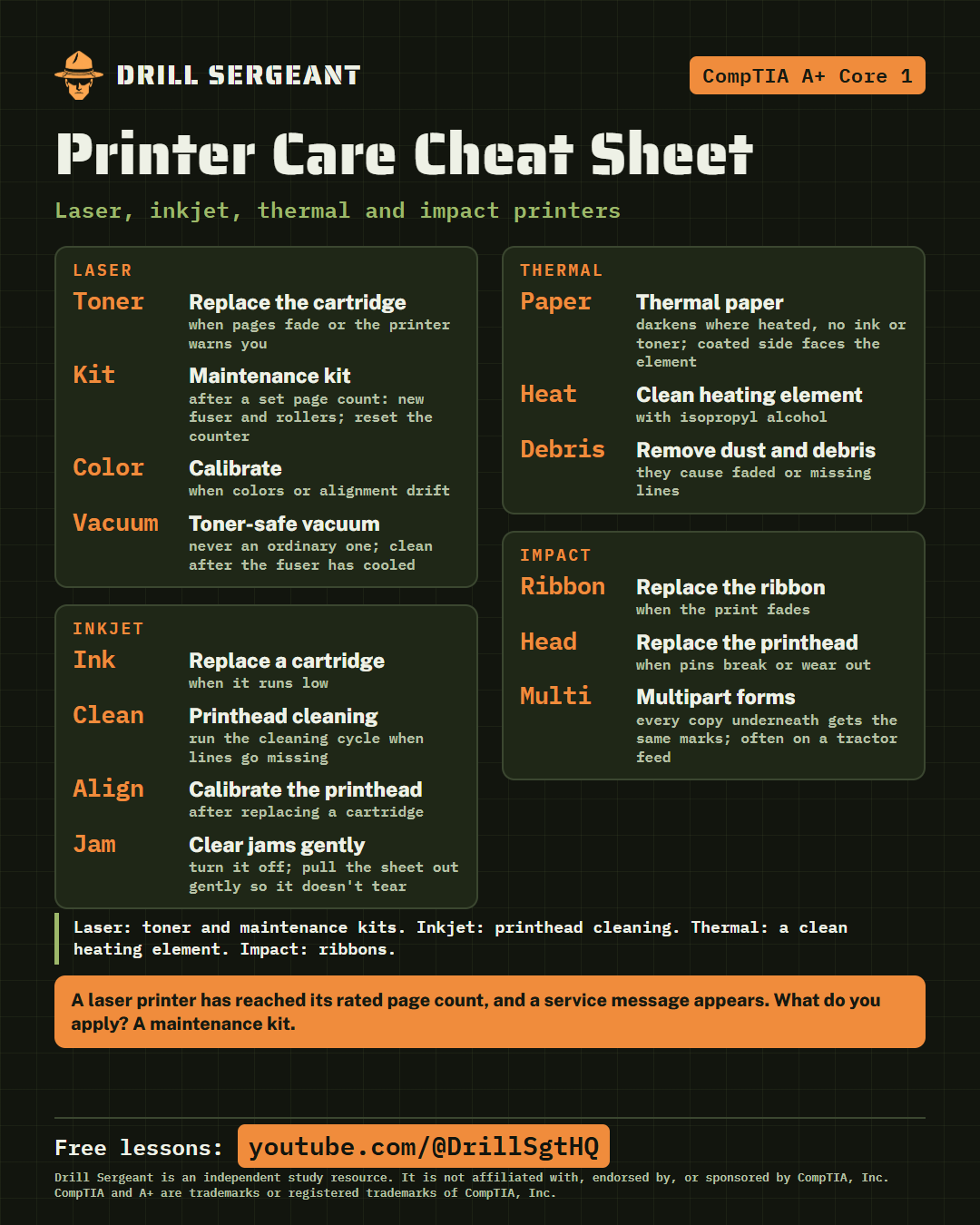
Cheat sheet as text
Printer Care Cheat Sheet
Laser, inkjet, thermal and impact printers
Laser
- Toner — Replace the cartridge: when pages fade or the printer warns you
- Kit — Maintenance kit: after a set page count: new fuser and rollers; reset the counter
- Color — Calibrate: when colors or alignment drift
- Vacuum — Toner-safe vacuum: never an ordinary one; clean after the fuser has cooled
Inkjet
- Ink — Replace a cartridge: when it runs low
- Clean — Printhead cleaning: run the cleaning cycle when lines go missing
- Align — Calibrate the printhead: after replacing a cartridge
- Jam — Clear jams gently: turn it off; pull the sheet out gently so it doesn't tear
Thermal
- Paper — Thermal paper: darkens where heated, no ink or toner; coated side faces the element
- Heat — Clean heating element: with isopropyl alcohol
- Debris — Remove dust and debris: they cause faded or missing lines
Impact
- Ribbon — Replace the ribbon: when the print fades
- Head — Replace the printhead: when pins break or wear out
- Multi — Multipart forms: every copy underneath gets the same marks; often on a tractor feed
Laser: toner and maintenance kits. Inkjet: printhead cleaning. Thermal: a clean heating element. Impact: ribbons.
A laser printer has reached its rated page count, and a service message appears. What do you apply? A maintenance kit.
Chapters
Exam objectives covered
- Core 1 (220-1201) objective 3.8, Hardware
Transcript
Read the full lesson narration
Laser printers
Four kinds of printers, four maintenance routines. Match the fix to how the printer puts marks on the page, and follow the maker's steps for that model.
Laser printers fuse toner, a fine powder, onto paper with heat and pressure. When pages fade or the printer warns you, replace the toner cartridge. After a set number of pages, apply a maintenance kit, which replaces worn parts like the fuser and the rollers, and then reset the page counter. Calibrate when colors or alignment drift. And clean it with a toner-safe vacuum, never an ordinary one, after the fuser has cooled.
Inkjet printers
Inkjet printers spray tiny drops of ink from a printhead, while rollers and the feeder pull each sheet through. Replace an ink cartridge when it runs low. If lines go missing, run the printhead cleaning cycle. Calibrate, or align, the printhead after replacing a cartridge. And when paper jams, turn the printer off, and pull the sheet out gently so it doesn't tear.
Thermal printers
Thermal printers make receipts and labels with heat, on special thermal paper that darkens where it's heated, with no ink or toner. A feed assembly moves the paper across the heating element. Replace the paper roll with the coated side facing the heating element. Clean the heating element with isopropyl alcohol, and remove the dust and debris that cause faded or missing lines.
Impact printers
Impact printers, like dot matrix printers, strike an inked ribbon against the paper, so they can print multipart forms, where every copy underneath gets the same marks. Replace the ribbon when the print fades, replace the printhead when pins break or wear out, and keep the right paper loaded, often continuous forms on a tractor feed.
Quick drill and recap
Drill time. Say the answer before I do. A laser printer has reached its rated page count, and a service message appears. What do you apply? A maintenance kit. An inkjet's test page shows gaps in its lines. What is the first step? Run the printhead cleaning cycle. Receipts come out with faded streaks. What do you clean? The heating element. An office needs multipart forms with carbon copies. Which printer type works? Impact. Toner spilled inside a printer. What do you clean it up with? A toner-safe vacuum.
Lock in these four. One. Laser: toner, maintenance kits, calibration, and a toner-safe vacuum. Two. Inkjet: cartridges, printhead cleaning, alignment, and gentle jam clearing. Three. Thermal: heat-sensitive paper, a clean heating element, and no debris. Four. Impact: ribbons, printheads, and multipart paper.
That's printer maintenance. Now go prove it. Practice questions are waiting for you in Drill Sergeant.
PRACTICE TESTS
Ready to drill it?
Practice tests for CompTIA A+ Core 1 and Core 2, every answer explained and checked against published sources. $19.95 for 30 days, plus sales tax where it applies; one payment, nothing renews.
See the 30-day passRelated lessons
Found a mistake in a lesson? Email support@drillsgthq.com with the lesson and what is wrong.
Drill Sergeant is an independent study resource. It is not affiliated with, endorsed by, or sponsored by CompTIA, Inc. CompTIA and A+ are trademarks or registered trademarks of CompTIA, Inc.