
What you will learn
- Router vs switch, and managed vs unmanaged switches
- What access points, firewalls and patch panels do
- PoE switches, injectors and the 802.3af, at and bt standards
- Cable modems, DSL and optical network terminals
- What a NIC is and what its MAC address does
PRACTICE TESTS
Ready to drill it?
Practice tests for CompTIA A+ Core 1 and Core 2, every answer explained and checked against published sources. $19.95 for 30 days, plus sales tax where it applies; one payment, nothing renews.
See the 30-day passCheat sheet
Everything in this lesson on one page. Free to save, print and share.
Download the cheat sheet (PNG)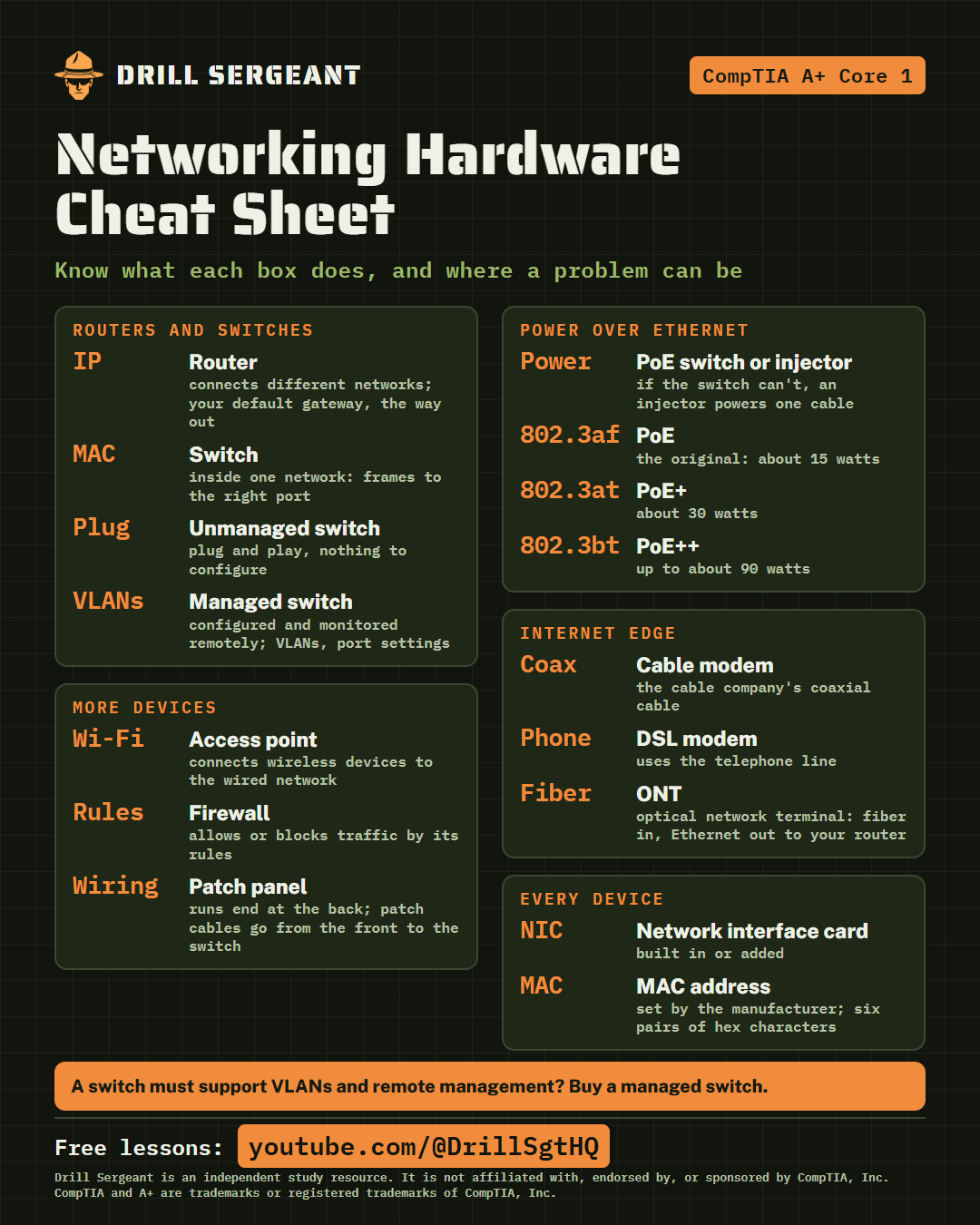
Cheat sheet as text
Networking Hardware Cheat Sheet
Know what each box does, and where a problem can be
Routers and switches
- IP — Router: connects different networks; your default gateway, the way out
- MAC — Switch: inside one network: frames to the right port
- Plug — Unmanaged switch: plug and play, nothing to configure
- VLANs — Managed switch: configured and monitored remotely; VLANs, port settings
More devices
- Wi-Fi — Access point: connects wireless devices to the wired network
- Rules — Firewall: allows or blocks traffic by its rules
- Wiring — Patch panel: runs end at the back; patch cables go from the front to the switch
Power over Ethernet
- Power — PoE switch or injector: if the switch can't, an injector powers one cable
- 802.3af — PoE: the original: about 15 watts
- 802.3at — PoE+: about 30 watts
- 802.3bt — PoE++: up to about 90 watts
Internet edge
- Coax — Cable modem: the cable company's coaxial cable
- Phone — DSL modem: uses the telephone line
- Fiber — ONT: optical network terminal: fiber in, Ethernet out to your router
Every device
| Key | Meaning | Note |
|---|---|---|
| NIC | Network interface card | built in or added |
| MAC | MAC address | set by the manufacturer; six pairs of hex characters |
A switch must support VLANs and remote management? Buy a managed switch.
Chapters
Exam objectives covered
- Core 1 (220-1201) objective 2.5, Networking
Transcript
Read the full lesson narration
Routers and switches
Every network is built from the same boxes. Know what each one does, and you'll know where a problem can and can't be.
Start with the two most important. A router connects different networks, and forwards packets between them by IP address. Your router is the default gateway, the way out to the internet. A switch connects devices inside one network, and forwards frames to the right port by MAC address. An unmanaged switch is plug and play, with nothing to configure. A managed switch can be configured and monitored remotely, with features like VLANs and port settings.
Access points, firewalls, patch panels
Three more devices fill out the network. An access point connects wireless devices to the wired network. A firewall allows or blocks traffic according to its rules. And a patch panel organizes the wiring closet: the cable runs from the offices end at the back of the panel, and short patch cables connect its front ports to the switch.
Power over Ethernet
Power over Ethernet, or PoE, sends power and data down the same network cable, so cameras, phones, and access points need no power outlet. A PoE switch powers its ports directly. If the switch can't, a PoE injector adds power to a single cable. And the standards set how much power each port can supply: 802.3af, the original PoE, about 15 watts; 802.3at, called PoE+, about 30 watts; and 802.3bt, PoE++, up to about 90 watts.
Cable modem, DSL and ONT
At the edge, the internet arrives through a device that matches the provider's line. A cable modem connects to the cable company's coaxial cable. A DSL modem uses the telephone line. And an ONT, an optical network terminal, converts the provider's fiber into Ethernet for your router.
NICs and MAC addresses
Finally, every device that joins a network has a NIC, a network interface card, built in or added. Each NIC has a MAC address, a physical address set by the manufacturer, written as six pairs of hexadecimal characters. Switches use it to deliver frames on the local network.
Quick drill and recap
Drill time. Say the answer before I do. Which device forwards frames to the right port using MAC addresses? A switch. Cameras must be mounted where there's no power outlet. How do they get power? Power over Ethernet. Fiber enters the building. Which device converts it to Ethernet? An ONT. A switch must support VLANs and remote management. Which kind do you buy? A managed switch. Which device sends traffic between your network and the internet? The router.
Lock in these four. One. Routers join networks by IP; switches connect devices by MAC, managed or unmanaged. Two. Access points, firewalls, and patch panels. Three. PoE: a switch or an injector, and the standards set the watts. Four. Cable modem, DSL, or ONT at the edge, and a NIC with a MAC address in every device.
That's networking hardware. Now go prove it. Practice questions are waiting for you in Drill Sergeant.
PRACTICE TESTS
Ready to drill it?
Practice tests for CompTIA A+ Core 1 and Core 2, every answer explained and checked against published sources. $19.95 for 30 days, plus sales tax where it applies; one payment, nothing renews.
See the 30-day passRelated lessons
Found a mistake in a lesson? Email support@drillsgthq.com with the lesson and what is wrong.
Drill Sergeant is an independent study resource. It is not affiliated with, endorsed by, or sponsored by CompTIA, Inc. CompTIA and A+ are trademarks or registered trademarks of CompTIA, Inc.