
What you will learn
- How a cable stripper and crimper put an RJ45 connector on a cable
- What a punchdown tool does at a patch panel or wall jack
- Cable tester vs toner probe, and what a loopback plug tests
- How a Wi-Fi analyzer helps pick a channel and find dead spots
- What a network tap does
PRACTICE TESTS
Ready to drill it?
Practice tests for CompTIA A+ Core 1 and Core 2, every answer explained and checked against published sources. $19.95 for 30 days, plus sales tax where it applies; one payment, nothing renews.
See the 30-day passCheat sheet
Everything in this lesson on one page. Free to save, print and share.
Download the cheat sheet (PNG)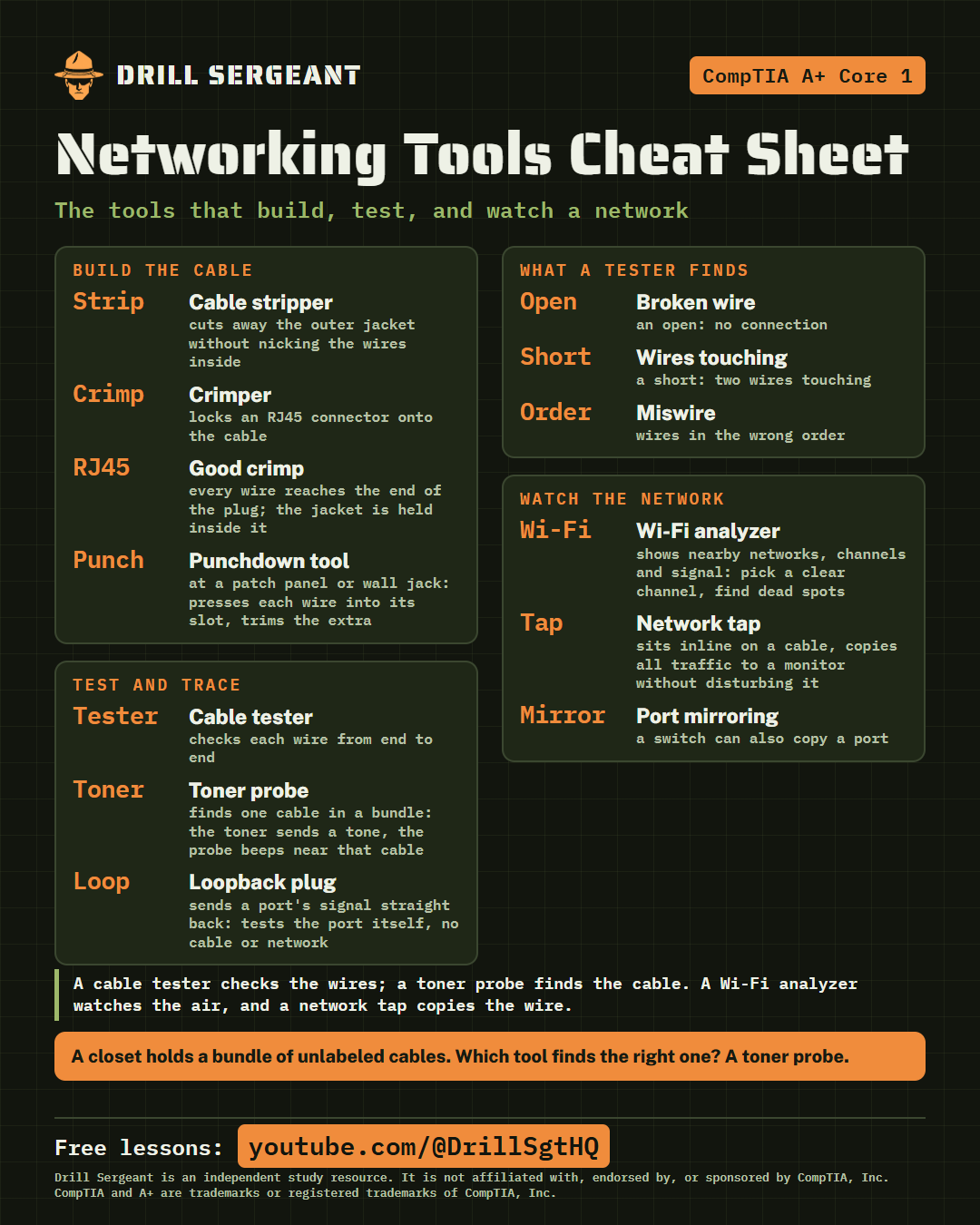
Cheat sheet as text
Networking Tools Cheat Sheet
The tools that build, test, and watch a network
Build the cable
- Strip — Cable stripper: cuts away the outer jacket without nicking the wires inside
- Crimp — Crimper: locks an RJ45 connector onto the cable
- RJ45 — Good crimp: every wire reaches the end of the plug; the jacket is held inside it
- Punch — Punchdown tool: at a patch panel or wall jack: presses each wire into its slot, trims the extra
Test and trace
- Tester — Cable tester: checks each wire from end to end
- Toner — Toner probe: finds one cable in a bundle: the toner sends a tone, the probe beeps near that cable
- Loop — Loopback plug: sends a port's signal straight back: tests the port itself, no cable or network
What a tester finds
- Open — Broken wire: an open: no connection
- Short — Wires touching: a short: two wires touching
- Order — Miswire: wires in the wrong order
Watch the network
- Wi-Fi — Wi-Fi analyzer: shows nearby networks, channels and signal: pick a clear channel, find dead spots
- Tap — Network tap: sits inline on a cable, copies all traffic to a monitor without disturbing it
- Mirror — Port mirroring: a switch can also copy a port
A cable tester checks the wires; a toner probe finds the cable. A Wi-Fi analyzer watches the air, and a network tap copies the wire.
A closet holds a bundle of unlabeled cables. Which tool finds the right one? A toner probe.
Chapters
Exam objectives covered
- Core 1 (220-1201) objective 2.8, Networking
Transcript
Read the full lesson narration
Build: stripper, crimper, punchdown
A network is only as good as its cables. These are the tools that build them, find them, and check that they work.
Start with the tools that build cables. A cable stripper cuts away the outer jacket without nicking the wires inside. Then put the wires in order, push them into an RJ45 connector, and squeeze it with a crimper, which locks the connector onto the cable. Cables inside the walls end at a patch panel or a wall jack instead. There, a punchdown tool presses each wire into its slot, and trims the extra.
Test: cable tester, toner probe, loopback
Next, the tools that test. A cable tester checks each wire from end to end, and finds opens, shorts, and wires in the wrong order. A toner probe finds one cable in a bundle: the toner sends a tone down the wire, and the probe beeps when it's near that cable. A loopback plug sends a port's signal straight back into it, so you can test the port itself, with no cable or network attached.
Wi-Fi analyzer and network tap
Two tools watch the network instead. A Wi-Fi analyzer shows nearby wireless networks, their channels, and their signal strength, so you can pick a clear channel and find dead spots. And a network tap sits inline on a cable, and copies all the traffic passing through it to a monitoring device, without disturbing the connection.
Quick drill and recap
Drill time. Say the answer before I do. You need to attach an RJ45 connector to a cable. Which tool do you use? A crimper. A closet holds a bundle of unlabeled cables. Which tool finds the right one? A toner probe. Wires must be seated in a patch panel. Which tool presses them in? A punchdown tool. Users report weak Wi-Fi in one corner of the office. Which tool shows signal and channels? A Wi-Fi analyzer. Security wants a copy of all traffic on one link. What do you install? A network tap.
Lock in these four. One. Build with a stripper, a crimper, and a punchdown tool. Two. A cable tester checks the wires; a toner probe finds the cable. Three. A loopback plug tests the port itself. Four. A Wi-Fi analyzer watches the air, and a network tap copies the wire.
That's networking tools. Now go prove it. Practice questions are waiting for you in Drill Sergeant.
PRACTICE TESTS
Ready to drill it?
Practice tests for CompTIA A+ Core 1 and Core 2, every answer explained and checked against published sources. $19.95 for 30 days, plus sales tax where it applies; one payment, nothing renews.
See the 30-day passRelated lessons
Found a mistake in a lesson? Email support@drillsgthq.com with the lesson and what is wrong.
Drill Sergeant is an independent study resource. It is not affiliated with, endorsed by, or sponsored by CompTIA, Inc. CompTIA and A+ are trademarks or registered trademarks of CompTIA, Inc.