
What you will learn
- How an LCD works, and how TN, IPS and VA panels differ
- Why OLED has true black, and what burn-in is
- What Mini-LED changes about the backlight
- What a digitizer and an inverter do, and their failure signs
- Resolution, pixel density, refresh rate and color gamut
PRACTICE TESTS
Ready to drill it?
Practice tests for CompTIA A+ Core 1 and Core 2, every answer explained and checked against published sources. $19.95 for 30 days, plus sales tax where it applies; one payment, nothing renews.
See the 30-day passCheat sheet
Everything in this lesson on one page. Free to save, print and share.
Download the cheat sheet (PNG)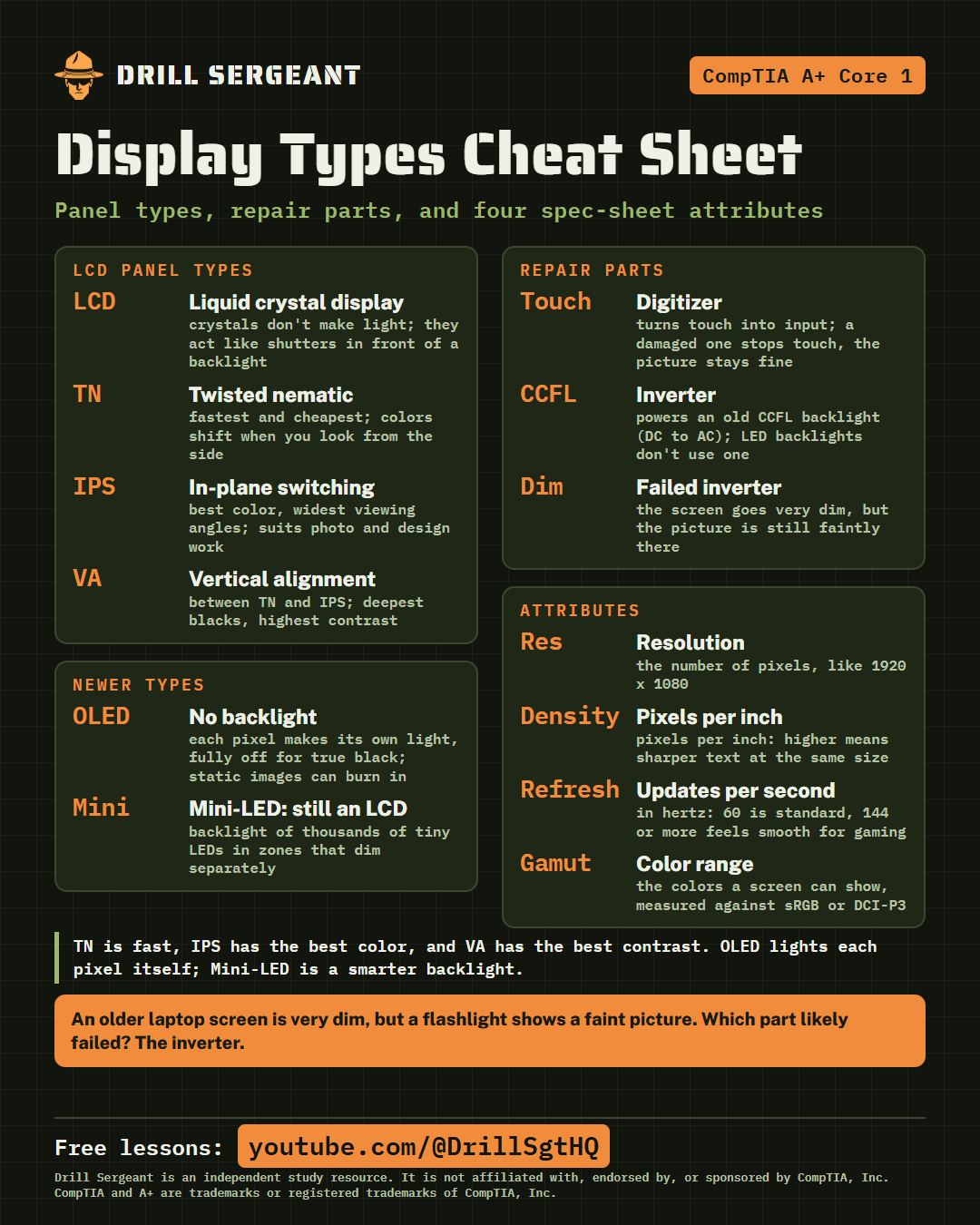
Cheat sheet as text
Display Types Cheat Sheet
Panel types, repair parts, and four spec-sheet attributes
LCD panel types
| Key | Meaning | Note |
|---|---|---|
| LCD | Liquid crystal display | crystals don't make light; they act like shutters in front of a backlight |
| TN | Twisted nematic | fastest and cheapest; colors shift when you look from the side |
| IPS | In-plane switching | best color, widest viewing angles; suits photo and design work |
| VA | Vertical alignment | between TN and IPS; deepest blacks, highest contrast |
Newer types
- OLED — No backlight: each pixel makes its own light, fully off for true black; static images can burn in
- Mini — Mini-LED: still an LCD: backlight of thousands of tiny LEDs in zones that dim separately
Repair parts
- Touch — Digitizer: turns touch into input; a damaged one stops touch, the picture stays fine
- CCFL — Inverter: powers an old CCFL backlight (DC to AC); LED backlights don't use one
- Dim — Failed inverter: the screen goes very dim, but the picture is still faintly there
Attributes
- Res — Resolution: the number of pixels, like 1920 x 1080
- Density — Pixels per inch: pixels per inch: higher means sharper text at the same size
- Refresh — Updates per second: in hertz: 60 is standard, 144 or more feels smooth for gaming
- Gamut — Color range: the colors a screen can show, measured against sRGB or DCI-P3
TN is fast, IPS has the best color, and VA has the best contrast. OLED lights each pixel itself; Mini-LED is a smarter backlight.
An older laptop screen is very dim, but a flashlight shows a faint picture. Which part likely failed? The inverter.
Chapters
Exam objectives covered
- Core 1 (220-1201) objective 3.1, Hardware
Transcript
Read the full lesson narration
LCD panels: TN, IPS and VA
Every screen trades off color, speed, contrast, and price. Know the types, and you'll know what each one is good at.
Most screens are LCDs, liquid crystal displays. The crystals don't make light; they act like shutters in front of a backlight. How the crystals are arranged gives three panel types. TN, twisted nematic, is the fastest and cheapest, but colors shift when you look from the side. IPS, in-plane switching, has the best color and the widest viewing angles, so it suits photo and design work. VA, vertical alignment, sits between them in color and viewing angles, with the deepest blacks and highest contrast of the three.
OLED and Mini-LED
Two newer types rethink the backlight. OLED, organic light-emitting diode, has no backlight at all: each pixel makes its own light, and turns fully off for true black. The trade-off: a static image left on screen for a long time can burn in. Mini-LED is still an LCD, but its backlight is thousands of tiny LEDs in zones that dim separately, for much better contrast.
Digitizer and inverter
Two parts matter for repairs. A touch screen has a digitizer, a clear layer that turns your touch into input. A damaged digitizer can stop responding to touch, even while the picture looks fine. And older LCDs lit by a fluorescent tube, called a CCFL, need an inverter, which turns DC power into the AC the tube needs. When the inverter fails, the screen goes very dim, but the picture is still faintly there. LED backlights don't use one.
Resolution, density, refresh rate, gamut
Finally, four attributes on every spec sheet. Resolution is the number of pixels, like nineteen twenty by ten eighty. Pixel density is how tightly they're packed, in pixels per inch: higher means sharper text at the same size. Refresh rate is how many times per second the image updates, in hertz: sixty is standard, and one forty four or more feels smooth for gaming. And color gamut is the range of colors a screen can show, measured against standards like sRGB or DCI-P3.
Quick drill and recap
Drill time. Say the answer before I do. A photo editor needs accurate color and wide viewing angles. Which LCD panel type fits? IPS. Each pixel makes its own light and can switch off completely. What display type is it? OLED. An older laptop screen is very dim, but a flashlight shows a faint picture. Which part likely failed? The inverter. A tablet shows a clear picture but ignores touches. Which part should you check? The digitizer. A gamer wants smoother motion. Which attribute should be higher? The refresh rate.
Lock in these four. One. LCD panels: TN is fast, IPS has the best color, and VA has the best contrast. Two. OLED lights each pixel itself; Mini-LED is a smarter backlight. Three. The digitizer handles touch; an inverter powers old CCFL backlights. Four. Resolution, pixel density, refresh rate, and color gamut.
That's display types and attributes. Now go prove it. Practice questions are waiting for you in Drill Sergeant.
PRACTICE TESTS
Ready to drill it?
Practice tests for CompTIA A+ Core 1 and Core 2, every answer explained and checked against published sources. $19.95 for 30 days, plus sales tax where it applies; one payment, nothing renews.
See the 30-day passRelated lessons
Found a mistake in a lesson? Email support@drillsgthq.com with the lesson and what is wrong.
Drill Sergeant is an independent study resource. It is not affiliated with, endorsed by, or sponsored by CompTIA, Inc. CompTIA and A+ are trademarks or registered trademarks of CompTIA, Inc.