
What you will learn
- ATX vs microATX vs ITX and how many slots each has
- PCIe slot sizes, M.2, SATA, power connectors and headers
- Matching a CPU to its socket: Intel and AMD, LGA vs PGA
- x86/x64 vs ARM, and what core configurations mean
- Video, sound, capture and network cards, and how a CPU is cooled
PRACTICE TESTS
Ready to drill it?
Practice tests for CompTIA A+ Core 1 and Core 2, every answer explained and checked against published sources. $19.95 for 30 days, plus sales tax where it applies; one payment, nothing renews.
See the 30-day passCheat sheet
Everything in this lesson on one page. Free to save, print and share.
Download the cheat sheet (PNG)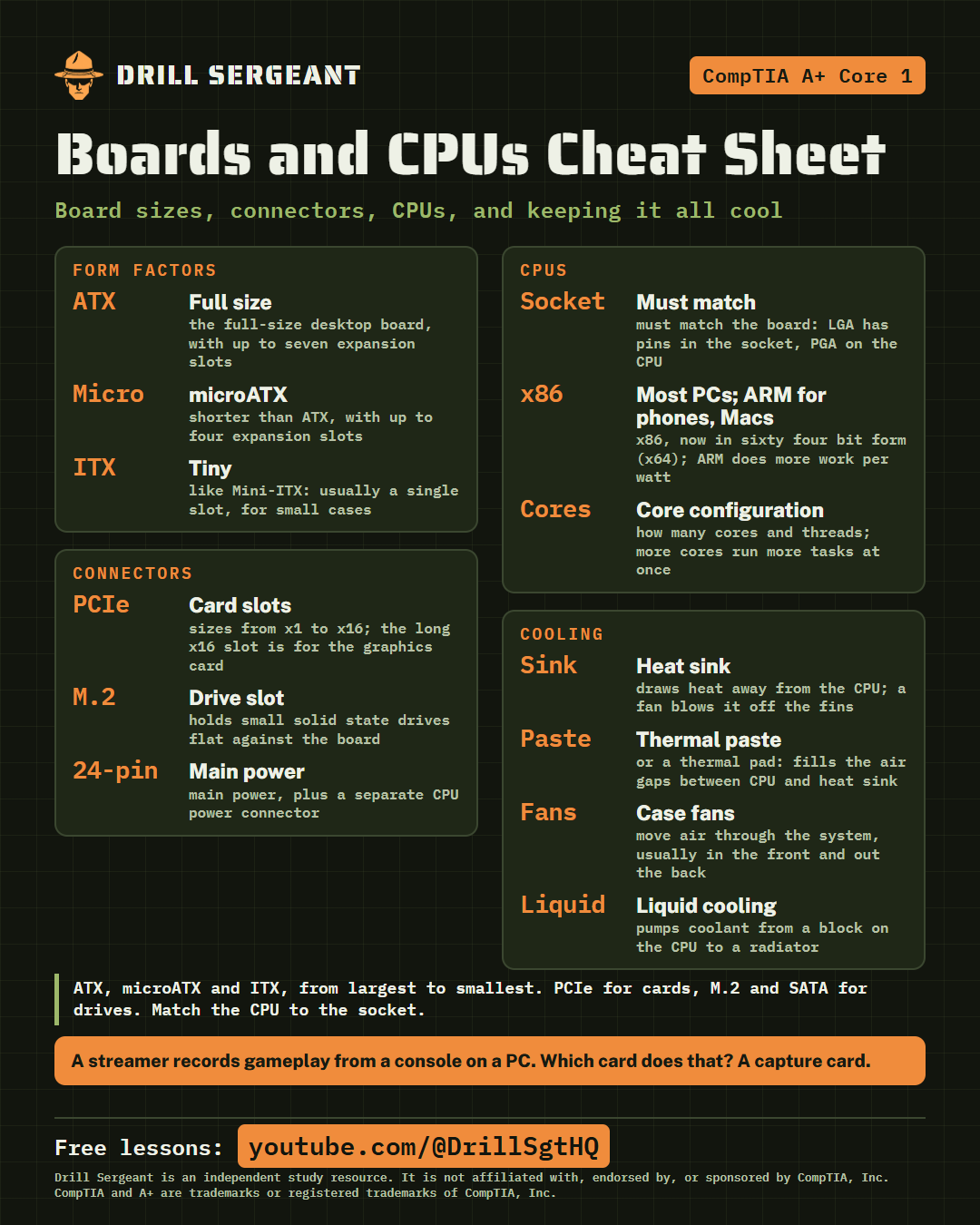
Cheat sheet as text
Boards and CPUs Cheat Sheet
Board sizes, connectors, CPUs, and keeping it all cool
Form factors
- ATX — Full size: the full-size desktop board, with up to seven expansion slots
- Micro — microATX: shorter than ATX, with up to four expansion slots
- ITX — Tiny: like Mini-ITX: usually a single slot, for small cases
Connectors
| Key | Meaning | Note |
|---|---|---|
| PCIe | Card slots | sizes from x1 to x16; the long x16 slot is for the graphics card |
| M.2 | Drive slot | holds small solid state drives flat against the board |
| 24-pin | Main power | main power, plus a separate CPU power connector |
CPUs
- Socket — Must match: must match the board: LGA has pins in the socket, PGA on the CPU
- x86 — Most PCs; ARM for phones, Macs: x86, now in sixty four bit form (x64); ARM does more work per watt
- Cores — Core configuration: how many cores and threads; more cores run more tasks at once
Cooling
- Sink — Heat sink: draws heat away from the CPU; a fan blows it off the fins
- Paste — Thermal paste: or a thermal pad: fills the air gaps between CPU and heat sink
- Fans — Case fans: move air through the system, usually in the front and out the back
- Liquid — Liquid cooling: pumps coolant from a block on the CPU to a radiator
ATX, microATX and ITX, from largest to smallest. PCIe for cards, M.2 and SATA for drives. Match the CPU to the socket.
A streamer records gameplay from a console on a PC. Which card does that? A capture card.
Chapters
Exam objectives covered
- Core 1 (220-1201) objective 3.5, Hardware
Transcript
Read the full lesson narration
Form factors: ATX, microATX, ITX
The motherboard is where everything meets. Pick the right board, CPU, and cards, keep it all cool, and the build comes together.
Motherboards come in standard sizes, called form factors. ATX is the full-size desktop board, with up to seven expansion slots. microATX is shorter, with up to four. And ITX boards, like Mini-ITX, are tiny, usually with a single slot, for small cases. A smaller board usually fits a larger case, but not the other way around.
PCIe, PCI, M.2, SATA, power and headers
On the board, expansion cards plug into PCIe slots, which come in sizes from x1 to x16; the long x16 slot is for the graphics card. Older boards may still have plain PCI slots. M.2 slots hold small solid state drives flat against the board. SATA ports connect drives by cable, and some boards add an eSATA port on the back panel. Power arrives through a twenty four pin main connector, plus a separate CPU power connector. And headers are small pin connectors for front panel buttons, USB ports, audio, and fans.
Sockets, x64 vs ARM, cores
The CPU must match the board's socket. Intel desktop CPUs use LGA sockets, with the pins in the socket. AMD's current desktop chips use LGA too, while older AMD chips used PGA, with the pins on the CPU. Servers can be multisocket, with two or more CPUs on one board. Most PCs use x86 processors, today in their sixty four bit form, called x64. Phones, tablets, and newer Macs use ARM, which does more work per watt. And the core configuration is how many cores and threads a CPU has: more cores run more tasks at once.
Expansion cards
Expansion cards add what the board lacks. A video card, or graphics card, drives displays and handles graphics work. A sound card improves audio input and output. A capture card records video from an outside source, like a camera or a game console. And a network interface card adds wired or wireless networking, or a faster port.
Cooling
All of this makes heat. A heat sink draws heat away from the CPU, and a fan blows it off the fins. Between the CPU and the heat sink goes a thin layer of thermal paste, or a thermal pad, to fill the tiny air gaps. Case fans move air through the system, usually in the front and out the back. And liquid cooling pumps coolant from a block on the CPU to a radiator, for high-performance builds.
Quick drill and recap
Drill time. Say the answer before I do. A build needs room for several expansion cards. Which board form factor fits best? ATX. A graphics card needs a slot. Which one is it designed for? A PCIe x16 slot. A new CPU doesn't fit the motherboard. What has to match? The socket type. Between the CPU and the heat sink, what fills the tiny air gaps? Thermal paste. A streamer records gameplay from a console on a PC. Which card does that? A capture card.
Lock in these four. One. ATX, microATX, and ITX, from largest to smallest. Two. PCIe for cards, M.2 and SATA for drives, and headers for the front panel. Three. Match the CPU to the socket, x86 or ARM, and count the cores. Four. Heat sink, fan, thermal paste, or liquid: keep it cool.
That's motherboards, processors, and cards. Now go prove it. Practice questions are waiting for you in Drill Sergeant.
PRACTICE TESTS
Ready to drill it?
Practice tests for CompTIA A+ Core 1 and Core 2, every answer explained and checked against published sources. $19.95 for 30 days, plus sales tax where it applies; one payment, nothing renews.
See the 30-day passRelated lessons
Found a mistake in a lesson? Email support@drillsgthq.com with the lesson and what is wrong.
Drill Sergeant is an independent study resource. It is not affiliated with, endorsed by, or sponsored by CompTIA, Inc. CompTIA and A+ are trademarks or registered trademarks of CompTIA, Inc.