
What you will learn
- DIMM vs SODIMM, and why they are not interchangeable
- How DDR3, DDR4 and DDR5 differ, and why the key notch matters
- What ECC memory does and where it is used
- How dual and quad channel raise memory bandwidth
- Why the motherboard manual decides which slots to use
PRACTICE TESTS
Ready to drill it?
Practice tests for CompTIA A+ Core 1 and Core 2, every answer explained and checked against published sources. $19.95 for 30 days, plus sales tax where it applies; one payment, nothing renews.
See the 30-day passCheat sheet
Everything in this lesson on one page. Free to save, print and share.
Download the cheat sheet (PNG)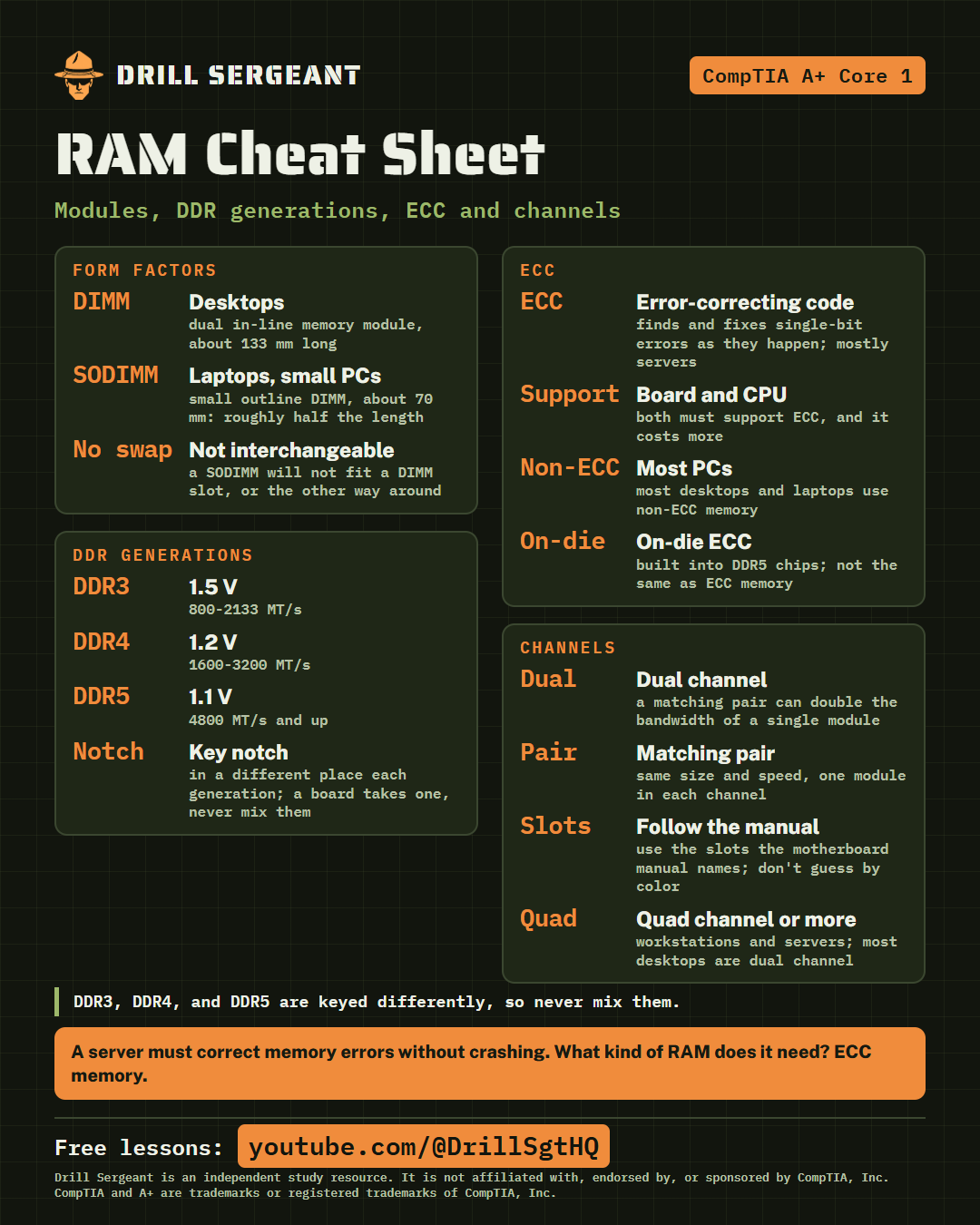
Cheat sheet as text
RAM Cheat Sheet
Modules, DDR generations, ECC and channels
Form factors
- DIMM — Desktops: dual in-line memory module, about 133 mm long
- SODIMM — Laptops, small PCs: small outline DIMM, about 70 mm: roughly half the length
- No swap — Not interchangeable: a SODIMM will not fit a DIMM slot, or the other way around
DDR generations
- DDR3 — 1.5 V: 800-2133 MT/s
- DDR4 — 1.2 V: 1600-3200 MT/s
- DDR5 — 1.1 V: 4800 MT/s and up
- Notch — Key notch: in a different place each generation; a board takes one, never mix them
ECC
- ECC — Error-correcting code: finds and fixes single-bit errors as they happen; mostly servers
- Support — Board and CPU: both must support ECC, and it costs more
- Non-ECC — Most PCs: most desktops and laptops use non-ECC memory
- On-die — On-die ECC: built into DDR5 chips; not the same as ECC memory
Channels
- Dual — Dual channel: a matching pair can double the bandwidth of a single module
- Pair — Matching pair: same size and speed, one module in each channel
- Slots — Follow the manual: use the slots the motherboard manual names; don't guess by color
- Quad — Quad channel or more: workstations and servers; most desktops are dual channel
DDR3, DDR4, and DDR5 are keyed differently, so never mix them.
A server must correct memory errors without crashing. What kind of RAM does it need? ECC memory.
Chapters
Exam objectives covered
- Core 1 (220-1201) objective 3.3, Hardware
Transcript
Read the full lesson narration
DIMM vs SODIMM
RAM is the computer's working space. Get the type, the size, and the slots right, and a memory upgrade just works.
Memory comes on modules. Desktops use DIMMs, dual in-line memory modules, about five inches long. Laptops and small PCs use SODIMMs, small outline DIMMs, roughly half that length. The two are not interchangeable: a SODIMM will not fit a DIMM slot, or the other way around.
DDR3, DDR4 and DDR5
Desktop and laptop memory is DDR, double data rate, and it comes in generations: DDR3, DDR4, and DDR5. Each one is faster and runs at a lower voltage. And each has its key notch in a different place, so a module only fits the slot it was made for. A board is built for one generation, so never try to mix them.
ECC vs non-ECC
Servers usually use ECC memory, error correcting code. It finds and fixes single-bit errors as they happen, so one flipped bit doesn't crash the system or corrupt data. ECC needs a motherboard and CPU that support it, and it costs more. Most desktops and laptops use non-ECC memory. The on-die ECC inside DDR5 chips is a different thing from ECC memory.
Dual and quad channel
Finally, channels. The memory controller can use more than one module at the same time, so a matching pair in dual channel can double the bandwidth of a single module. Install the pair in the slots the motherboard manual names; don't guess by color. Most desktops are dual channel, while workstations and servers can use quad channel or more.
Quick drill and recap
Drill time. Say the answer before I do. A technician needs more RAM for a laptop. Which module form factor fits? A SODIMM. Why won't a DDR4 module fit a DDR5 slot? The key notch is in a different place. A server must correct memory errors without crashing. What kind of RAM does it need? ECC memory. Two matching modules should give the most bandwidth. How do you install them? In dual channel, in the slots the manual names. Desktop RAM comes on which kind of module? A DIMM.
Lock in these four. One. DIMMs for desktops, SODIMMs for laptops. Two. DDR3, DDR4, and DDR5 are keyed differently, so never mix them. Three. ECC fixes single-bit errors, mostly in servers. Four. A matching pair in the right slots gives you dual channel.
That's RAM. Now go prove it. Practice questions are waiting for you in Drill Sergeant.
PRACTICE TESTS
Ready to drill it?
Practice tests for CompTIA A+ Core 1 and Core 2, every answer explained and checked against published sources. $19.95 for 30 days, plus sales tax where it applies; one payment, nothing renews.
See the 30-day passRelated lessons
Found a mistake in a lesson? Email support@drillsgthq.com with the lesson and what is wrong.
Drill Sergeant is an independent study resource. It is not affiliated with, endorsed by, or sponsored by CompTIA, Inc. CompTIA and A+ are trademarks or registered trademarks of CompTIA, Inc.