
What you will learn
- How to spot a failing or swollen battery, and handle it safely
- Replacing keyboards, SODIMM memory and laptop drives
- M.2 sizes like 2280, and SATA vs NVMe slots
- Wireless cards and where the Wi-Fi antennas run
- Biometrics, near-field scanners, webcams and microphones
PRACTICE TESTS
Ready to drill it?
Practice tests for CompTIA A+ Core 1 and Core 2, every answer explained and checked against published sources. $19.95 for 30 days, plus sales tax where it applies; one payment, nothing renews.
See the 30-day passCheat sheet
Everything in this lesson on one page. Free to save, print and share.
Download the cheat sheet (PNG)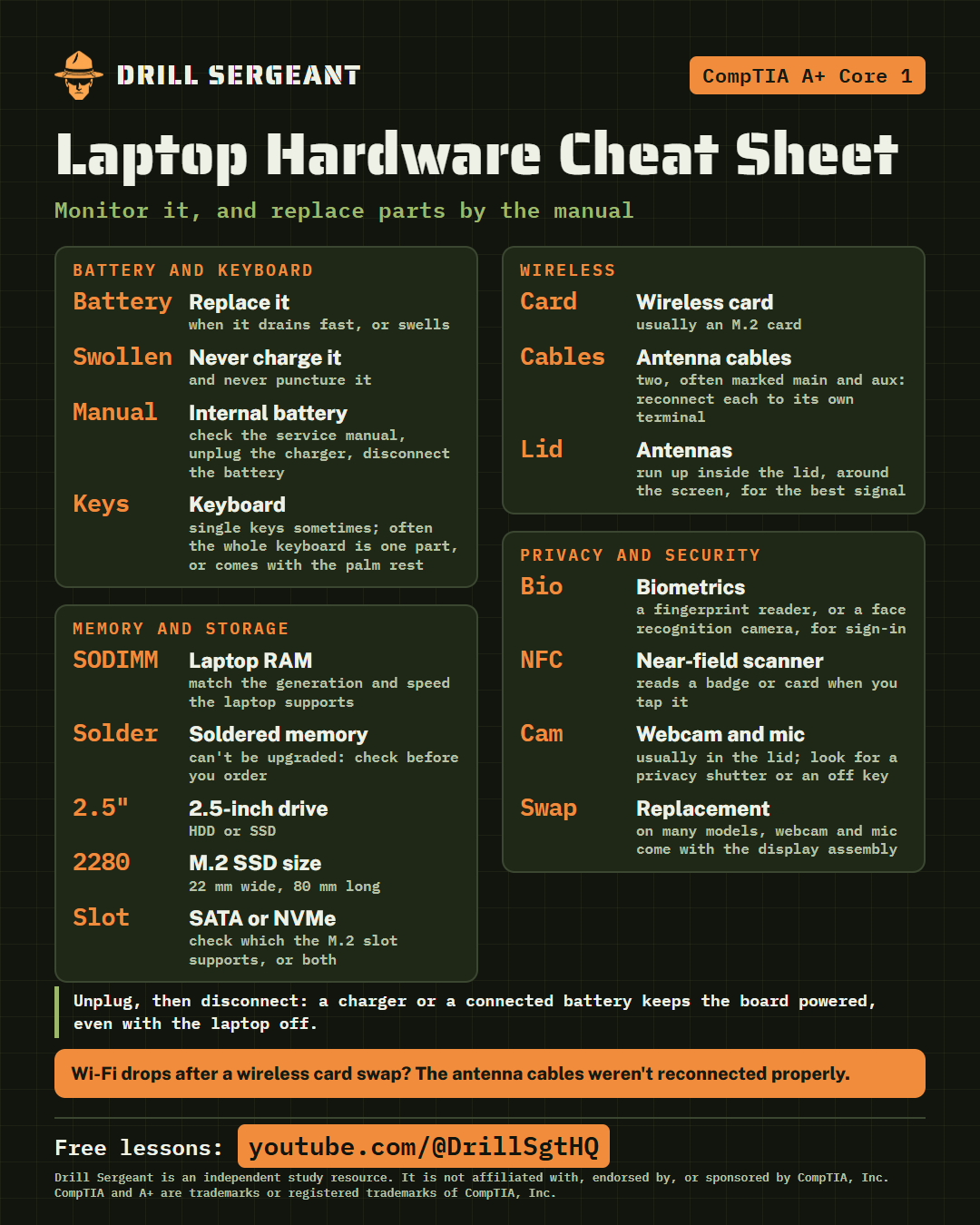
Cheat sheet as text
Laptop Hardware Cheat Sheet
Monitor it, and replace parts by the manual
Battery and keyboard
- Battery — Replace it: when it drains fast, or swells
- Swollen — Never charge it: and never puncture it
- Manual — Internal battery: check the service manual, unplug the charger, disconnect the battery
- Keys — Keyboard: single keys sometimes; often the whole keyboard is one part, or comes with the palm rest
Memory and storage
- SODIMM — Laptop RAM: match the generation and speed the laptop supports
- Solder — Soldered memory: can't be upgraded: check before you order
- 2.5" — 2.5-inch drive: HDD or SSD
- 2280 — M.2 SSD size: 22 mm wide, 80 mm long
- Slot — SATA or NVMe: check which the M.2 slot supports, or both
Wireless
- Card — Wireless card: usually an M.2 card
- Cables — Antenna cables: two, often marked main and aux: reconnect each to its own terminal
- Lid — Antennas: run up inside the lid, around the screen, for the best signal
Privacy and security
- Bio — Biometrics: a fingerprint reader, or a face recognition camera, for sign-in
- NFC — Near-field scanner: reads a badge or card when you tap it
- Cam — Webcam and mic: usually in the lid; look for a privacy shutter or an off key
- Swap — Replacement: on many models, webcam and mic come with the display assembly
Unplug, then disconnect: a charger or a connected battery keeps the board powered, even with the laptop off.
Wi-Fi drops after a wireless card swap? The antenna cables weren't reconnected properly.
Chapters
Exam objectives covered
- Core 1 (220-1201) objective 1.1, Mobile Devices
Transcript
Read the full lesson narration
Battery and keyboard
Laptops pack a whole computer into a thin case. Most parts can still be replaced, if you follow the service manual and work carefully.
Start with the battery. Watch its health: a battery that drains fast, or swells, must be replaced, and a swollen battery should never be charged or punctured. Many batteries are internal, so check the service manual first, then unplug the charger and disconnect the battery before you work inside. Keyboards wear out too. Single keys can sometimes be replaced, but often the whole keyboard comes out as one part, or together with the palm rest.
RAM and storage
Memory and storage are common upgrades. Laptop RAM comes on a SODIMM, and it must match the generation and speed the laptop supports. Some laptops solder some or all of their memory to the board, and soldered memory can't be upgraded. Storage is a two point five inch HDD or SSD, or an M.2 SSD. Check the M.2 size, like twenty two eighty, and whether the slot supports SATA or NVMe.
Wireless card and antennas
The wireless card is usually an M.2 card too, with two thin antenna cables, often marked main and aux. The antennas themselves run up inside the lid, around the screen, where they get the best signal. So when you swap the card, reconnect each cable to its own terminal.
Biometrics, NFC, webcam and mic
Laptops also carry security and privacy hardware. A fingerprint reader, or a face recognition camera, handles biometric sign-in. A near-field scanner reads a badge or card when you tap it. The webcam and microphone usually sit in the lid. Look for a privacy shutter, or a key that turns them off, and on many models they're replaced as part of the display assembly.
Quick drill and recap
Drill time. Say the answer before I do. A laptop battery has swollen and is lifting the touchpad. What do you do? Stop using it, and replace it without charging or puncturing it. A laptop needs more memory. What module type fits? A SODIMM. Wi-Fi drops after a wireless card swap. What was probably missed? The antenna cables weren't reconnected properly. A replacement SSD is labeled twenty two eighty. What does that mean? Twenty two millimeters wide, and eighty long. Users want to sign in by touching a sensor. Which feature is that? A fingerprint reader.
Lock in these four. One. Watch the battery, never charge a swollen one, and disconnect it before you work. Two. SODIMM memory, and M.2 or two point five inch drives, matched to the manual. Three. Wireless cards have antenna cables that run up into the lid. Four. Biometrics, near-field scanners, and the webcam and microphone in the lid.
That's laptop hardware. Now go prove it. Practice questions are waiting for you in Drill Sergeant.
PRACTICE TESTS
Ready to drill it?
Practice tests for CompTIA A+ Core 1 and Core 2, every answer explained and checked against published sources. $19.95 for 30 days, plus sales tax where it applies; one payment, nothing renews.
See the 30-day passRelated lessons
Found a mistake in a lesson? Email support@drillsgthq.com with the lesson and what is wrong.
Drill Sergeant is an independent study resource. It is not affiliated with, endorsed by, or sponsored by CompTIA, Inc. CompTIA and A+ are trademarks or registered trademarks of CompTIA, Inc.